How to download your Instagram data zip file for unfollowers tracker in 2026
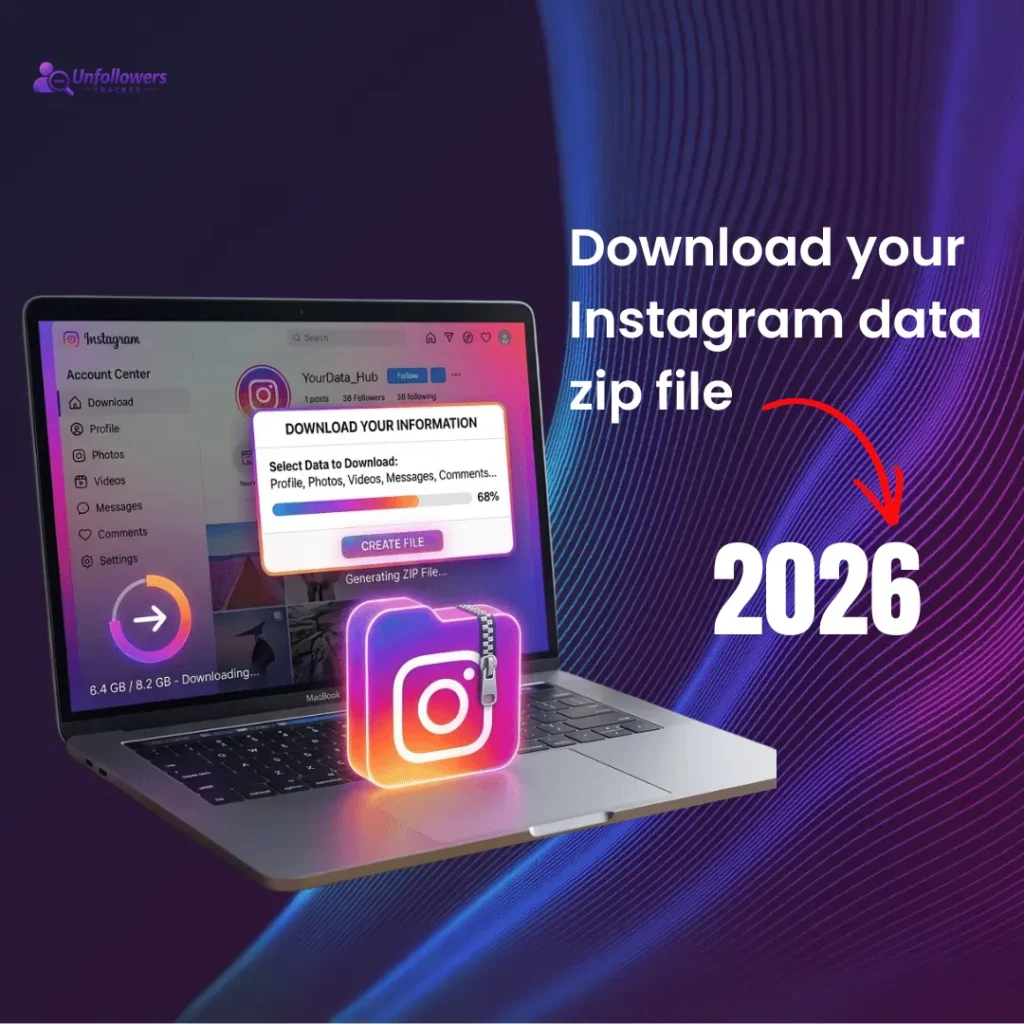
Downloading a zip file is the safest way to track followers. All the results are based on the data provided in zip. Our tool will analyze your data and give you a list of people who unfollowed you.
Here is a quick guide to downloading Instagram data:
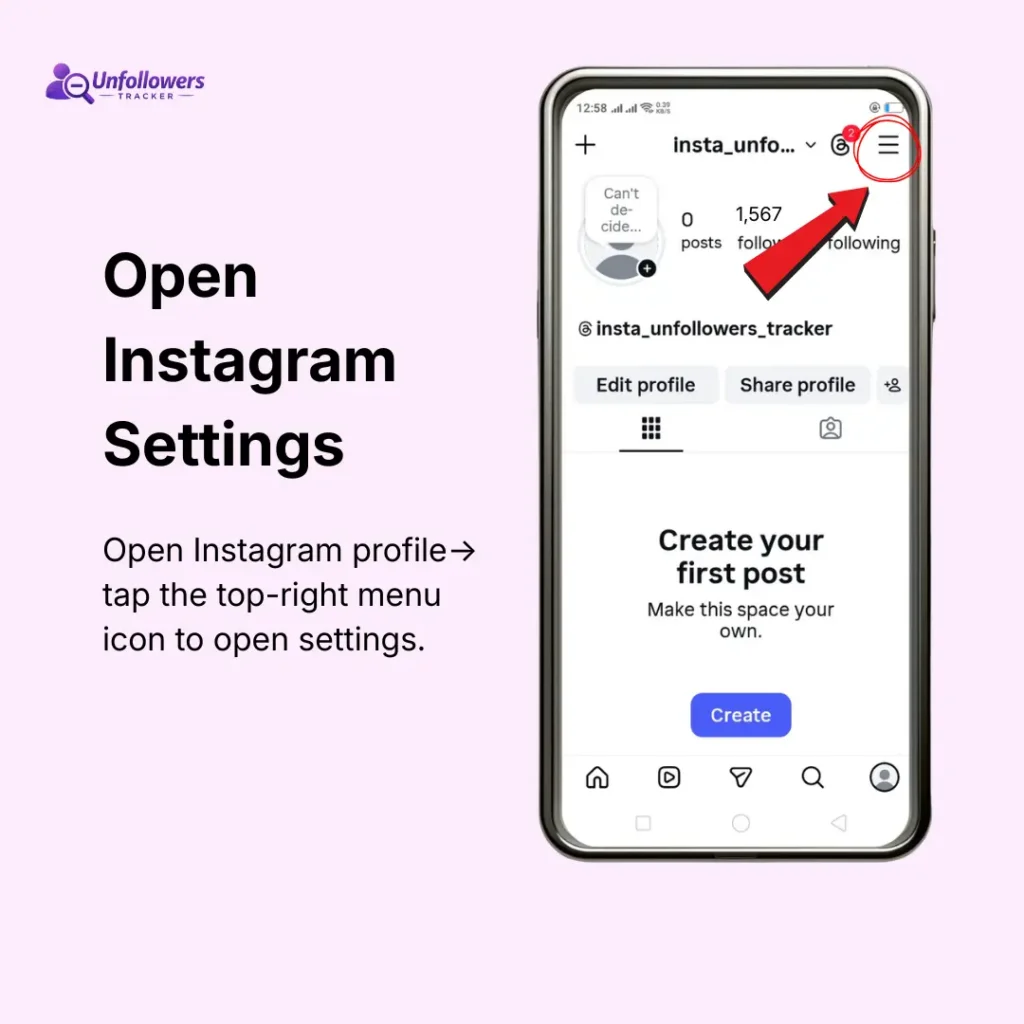
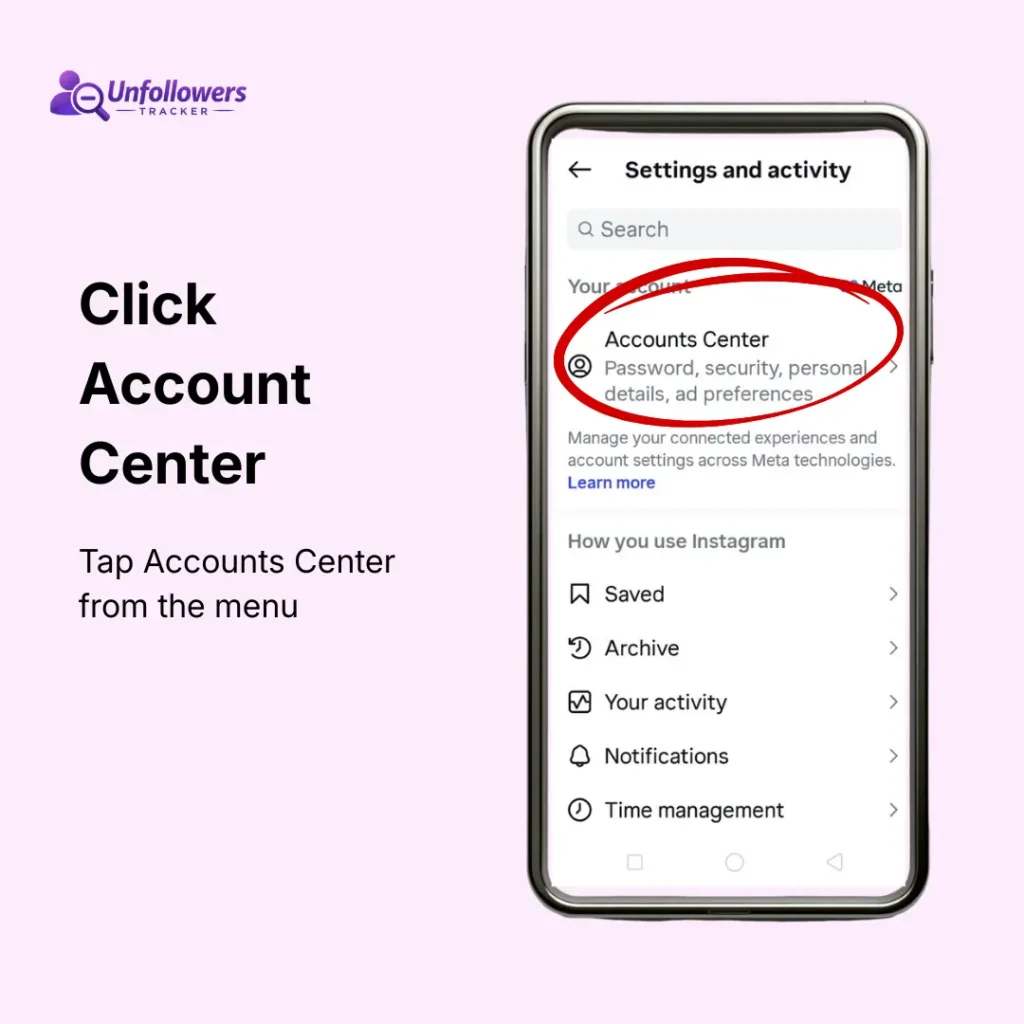
- Open Instagram and go to Settings.
- Select Accounts Center.
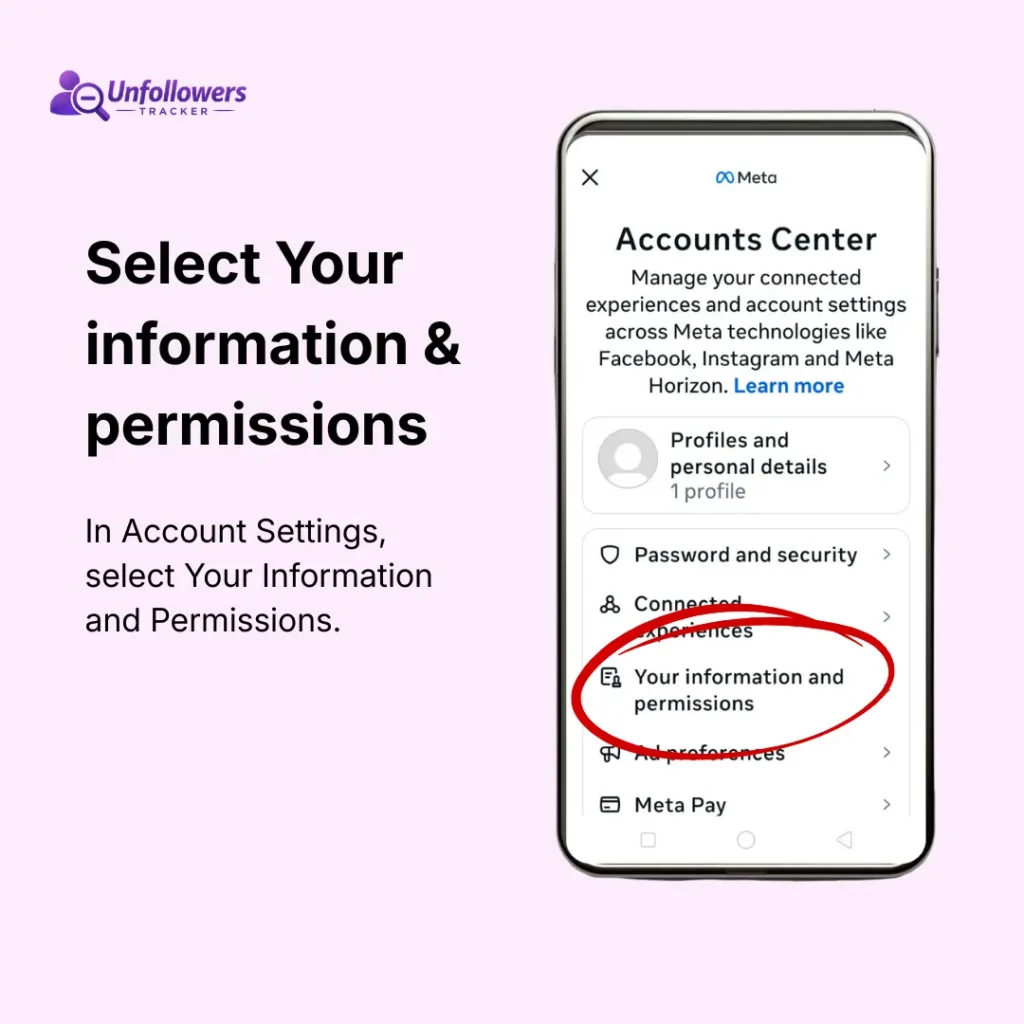
- Click Your Information and Permission.
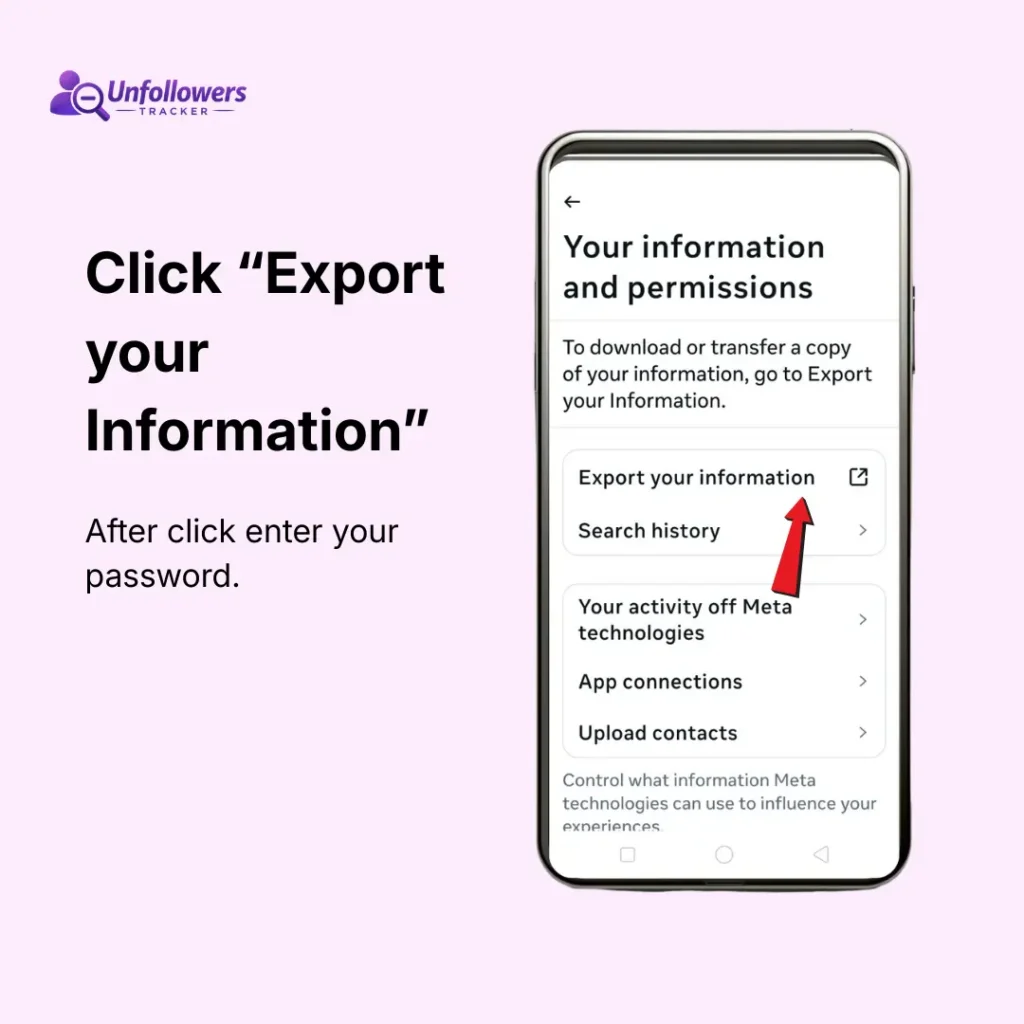
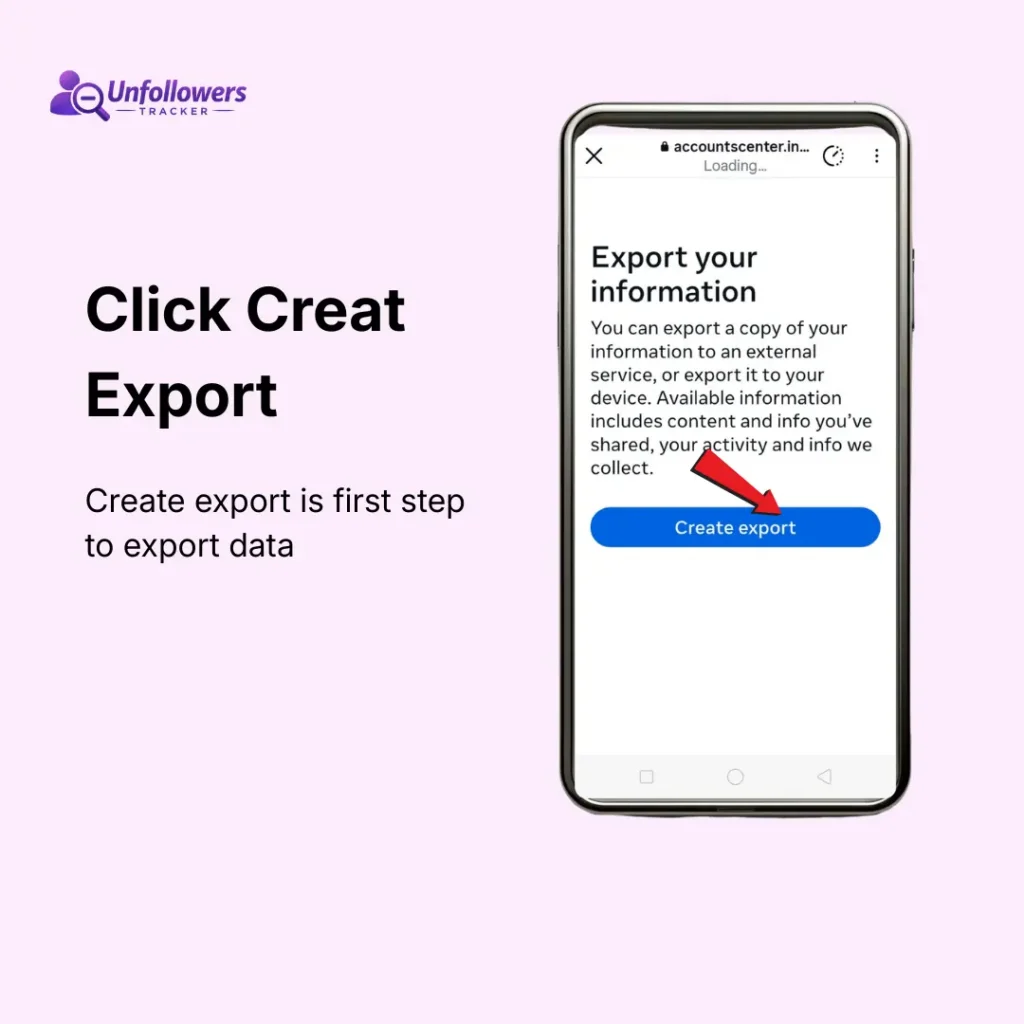
- Click Export Your Information.
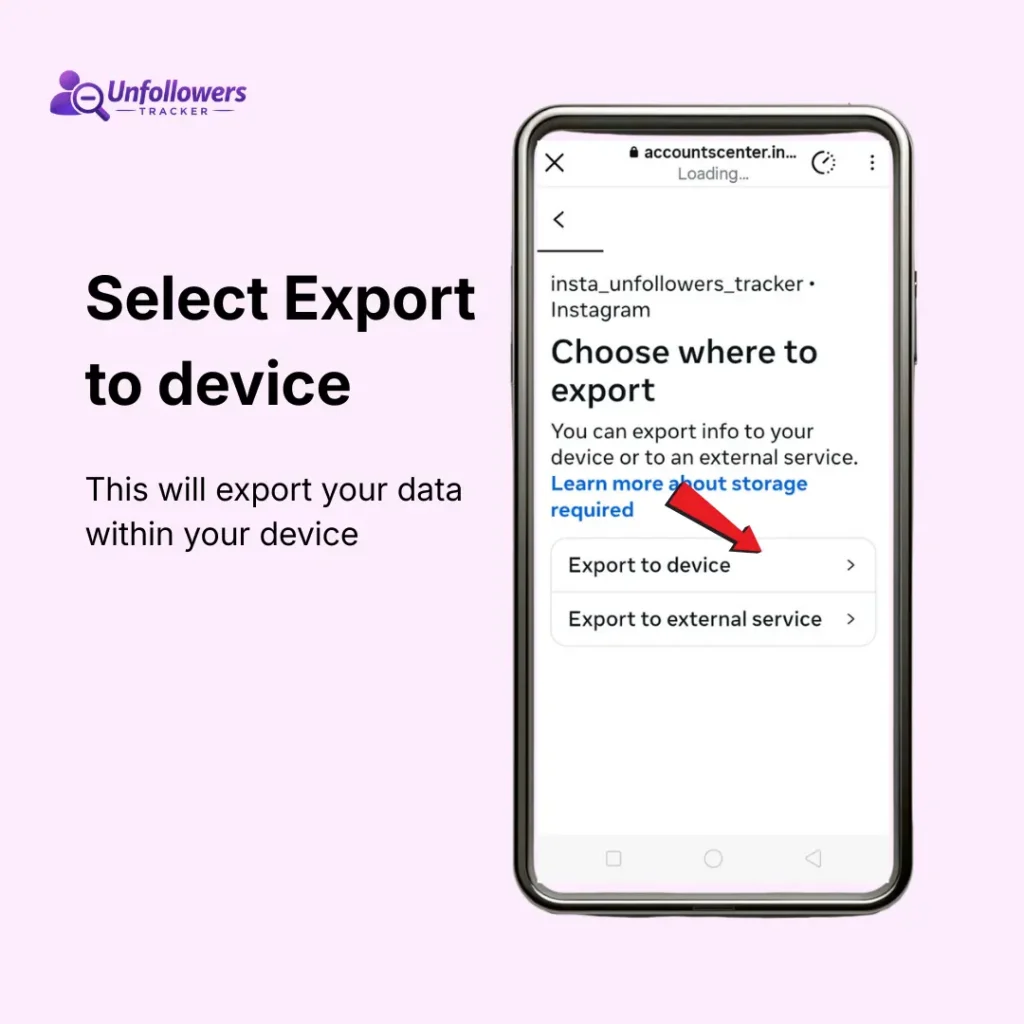
- Select profile for which you want to download data
- Click Export to device
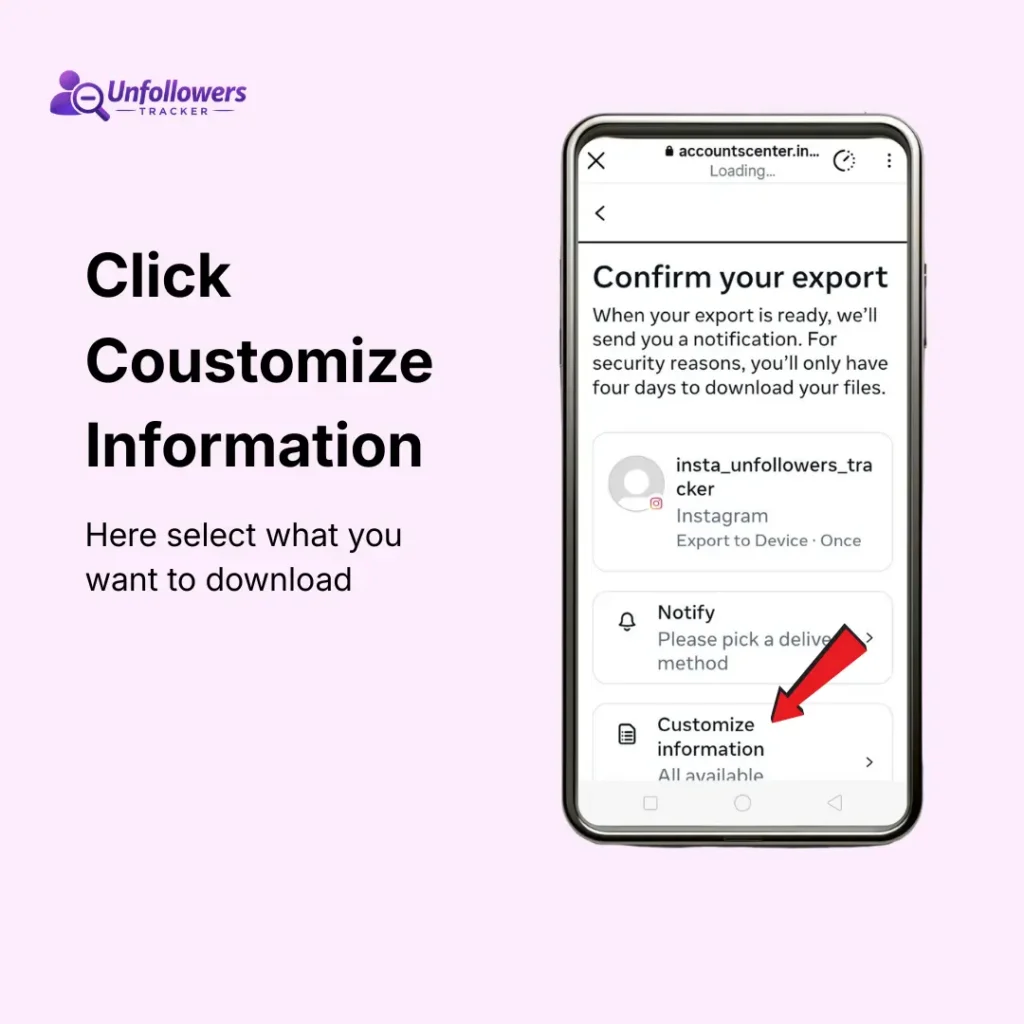
- Confirm export ↓
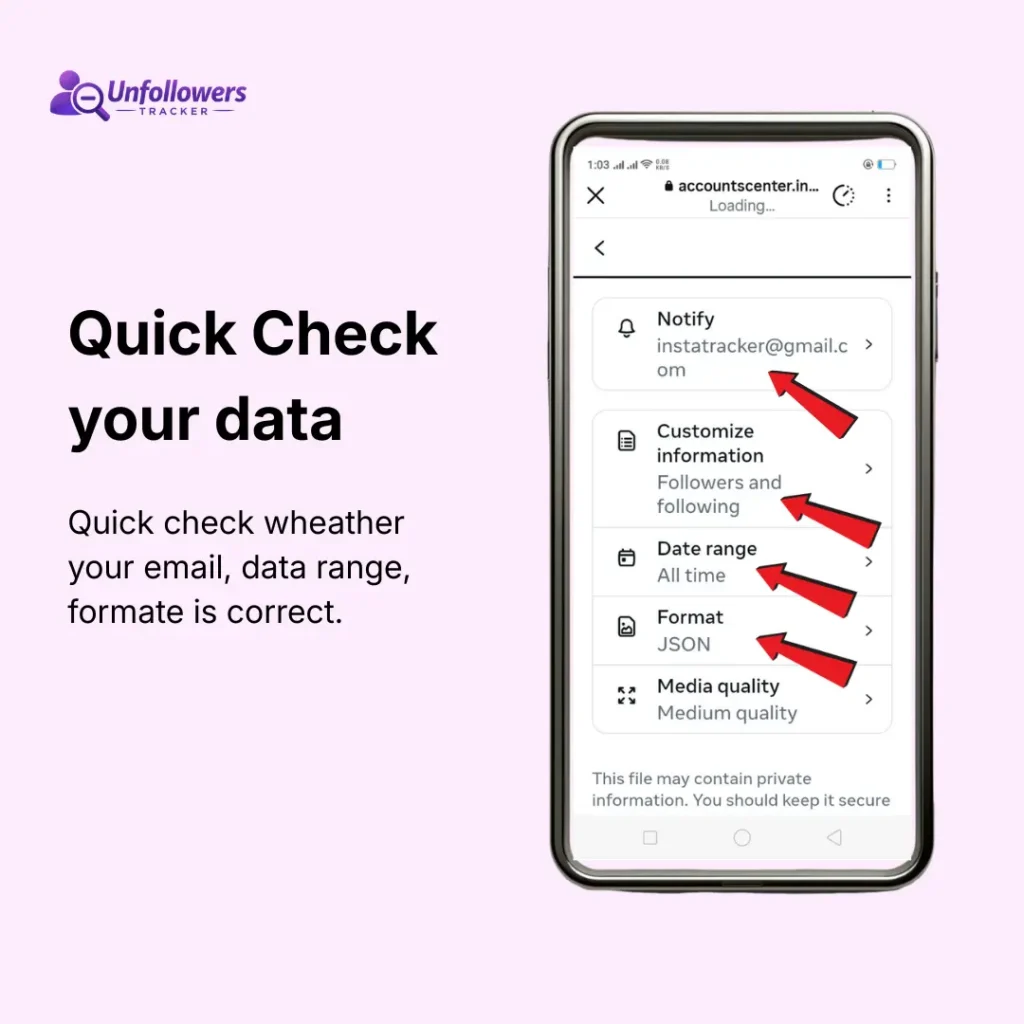
- Enter your email to get notified
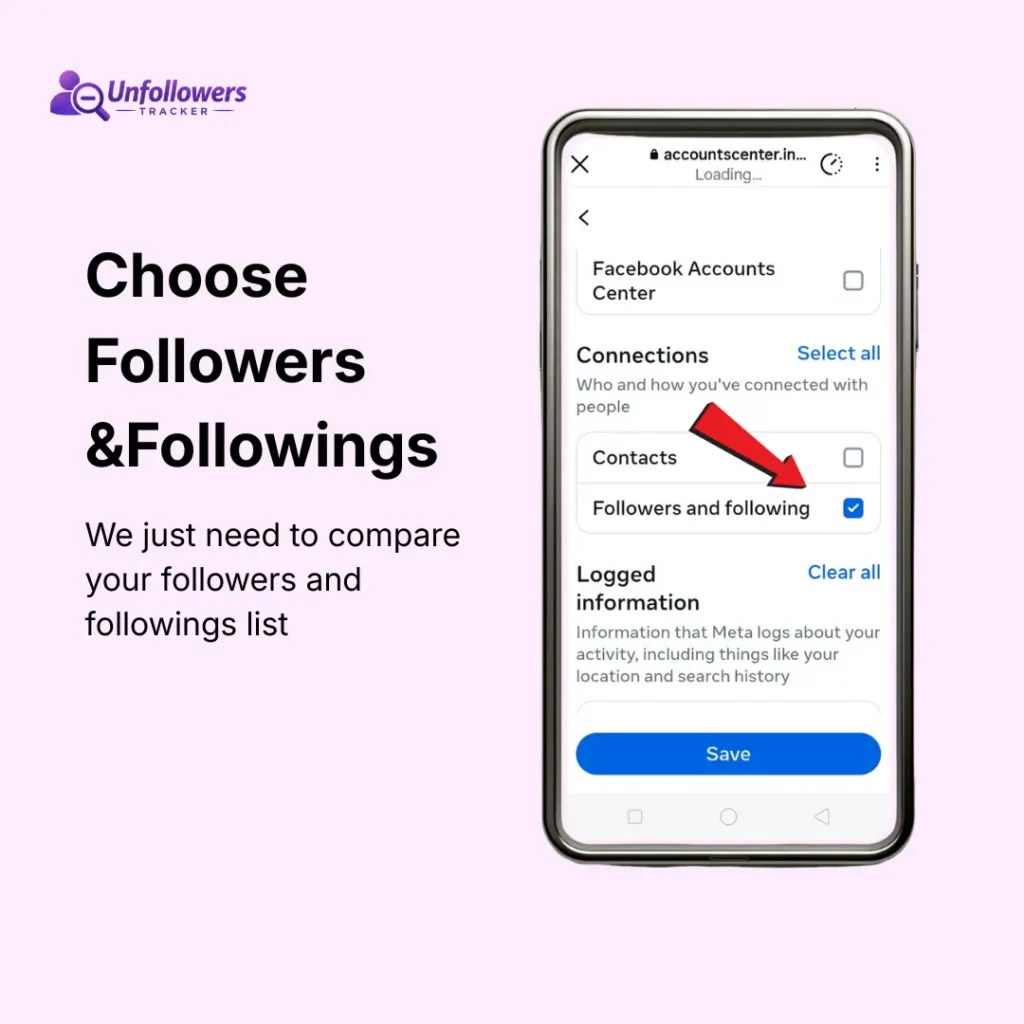
- Choose followers and followings from customised information
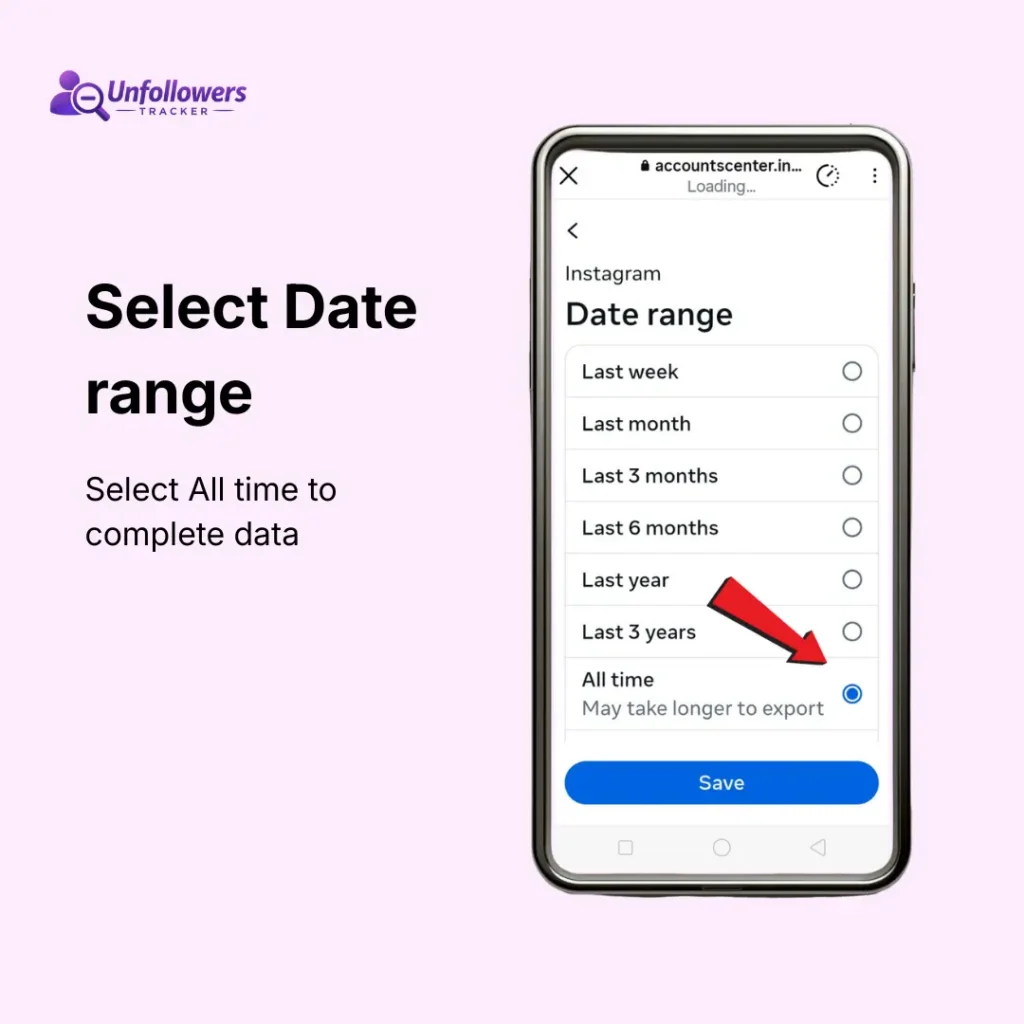
- Select All Time from data range
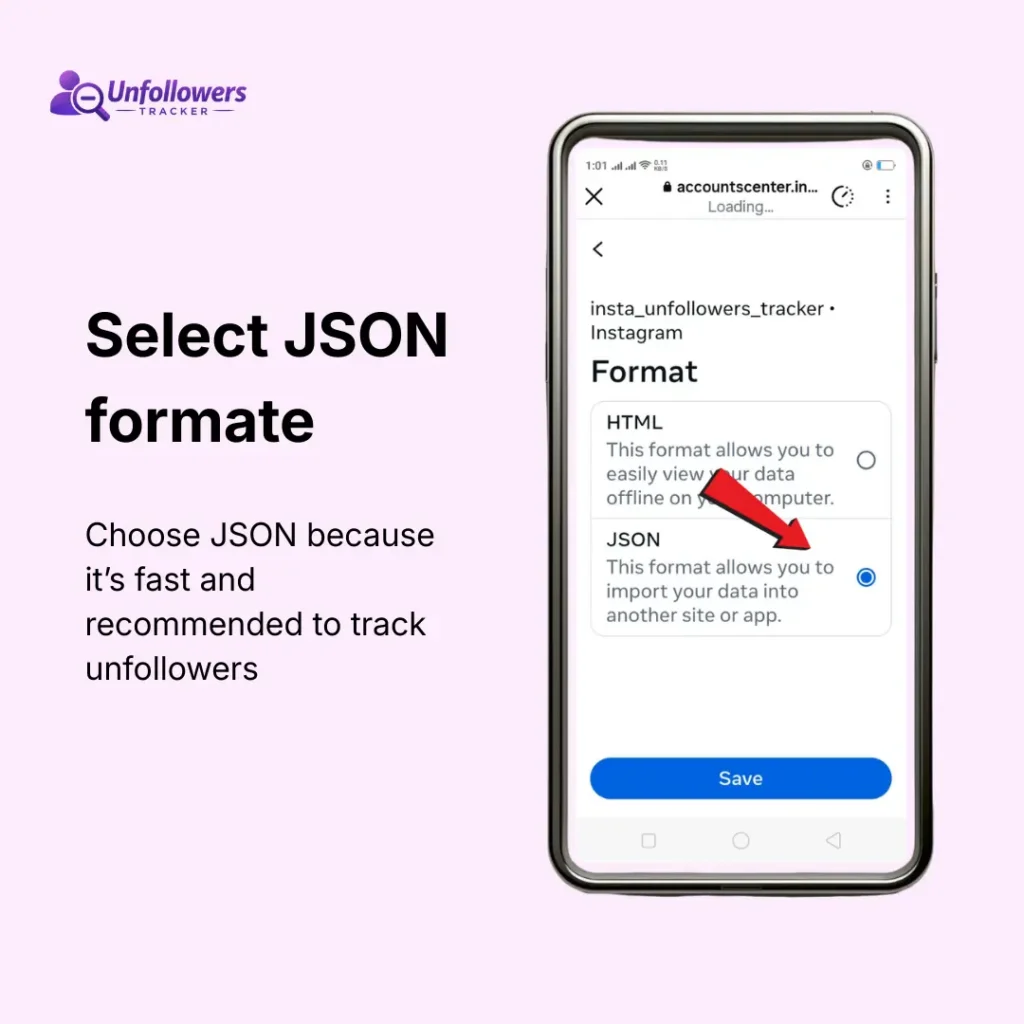
- Choose format JSON
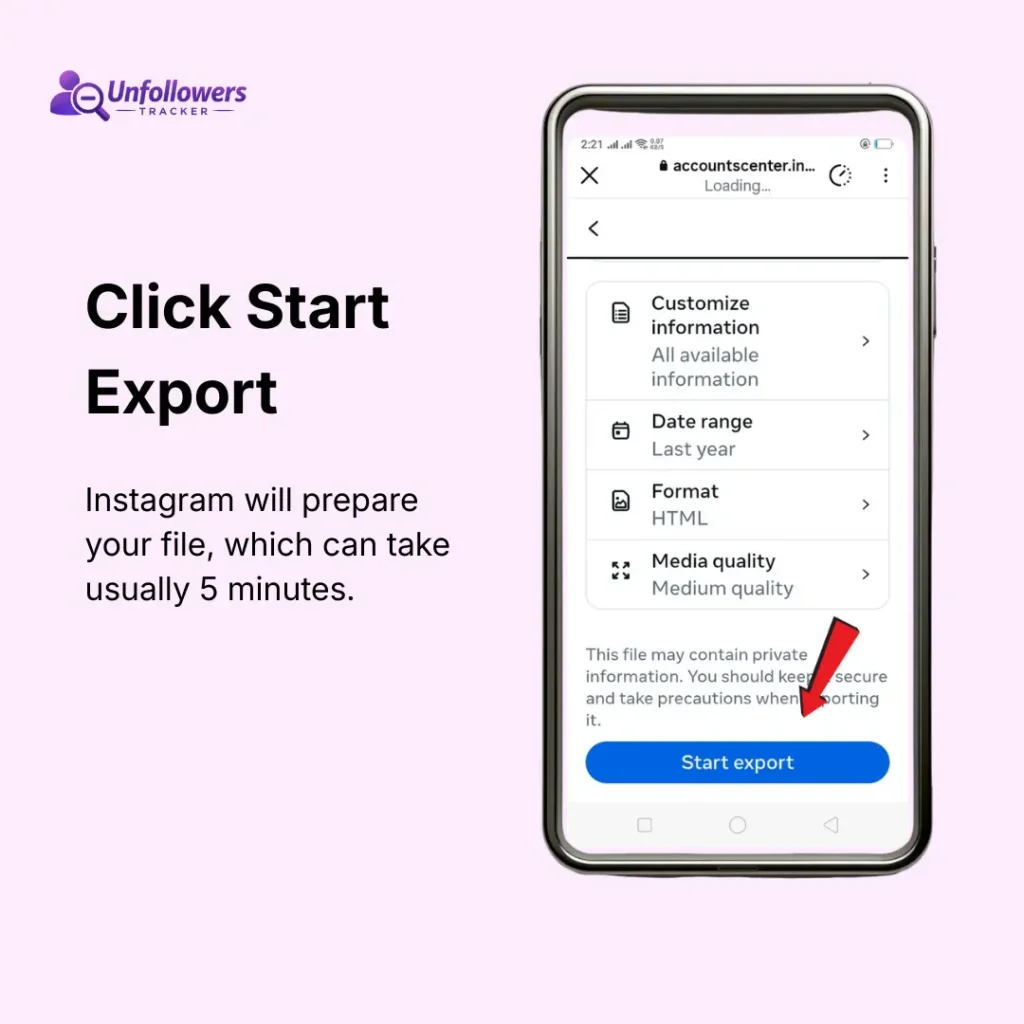
- Click Export
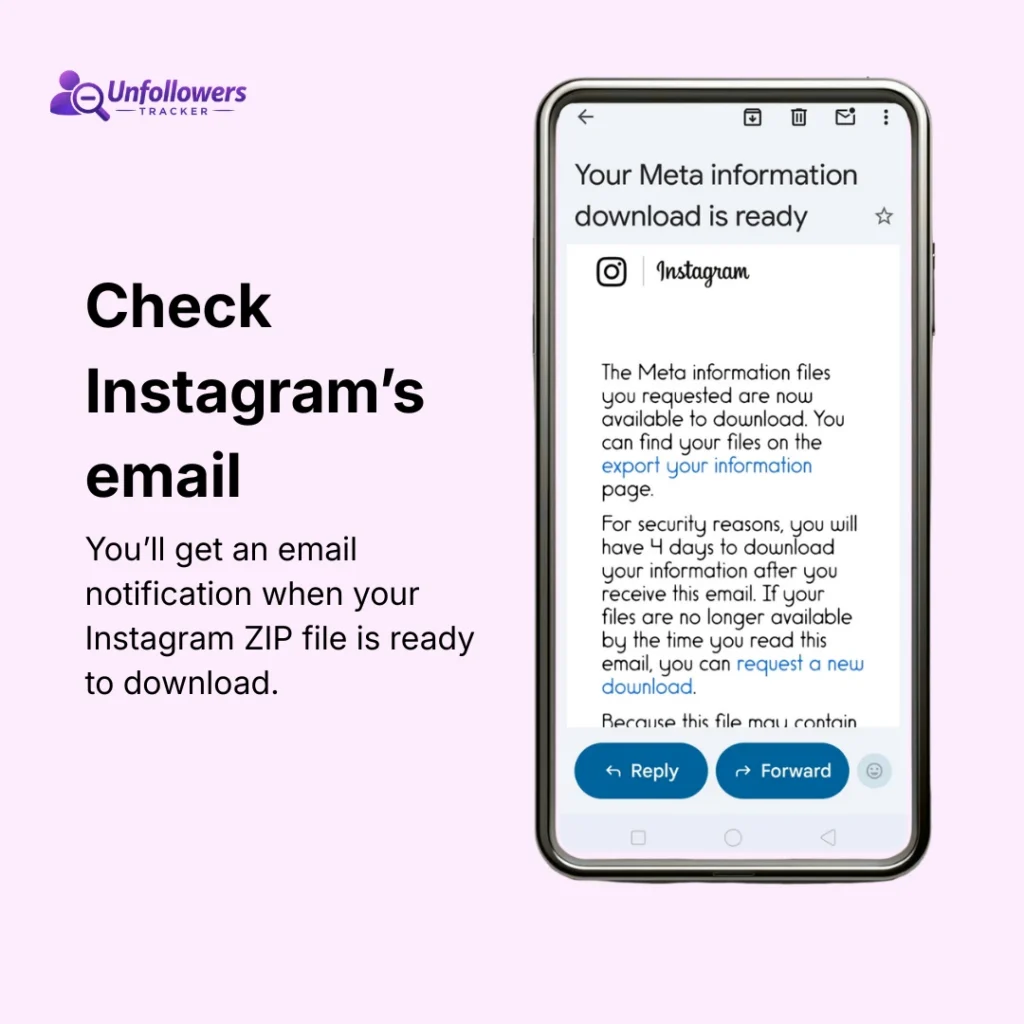
- Wait for the Instagram confirmation email
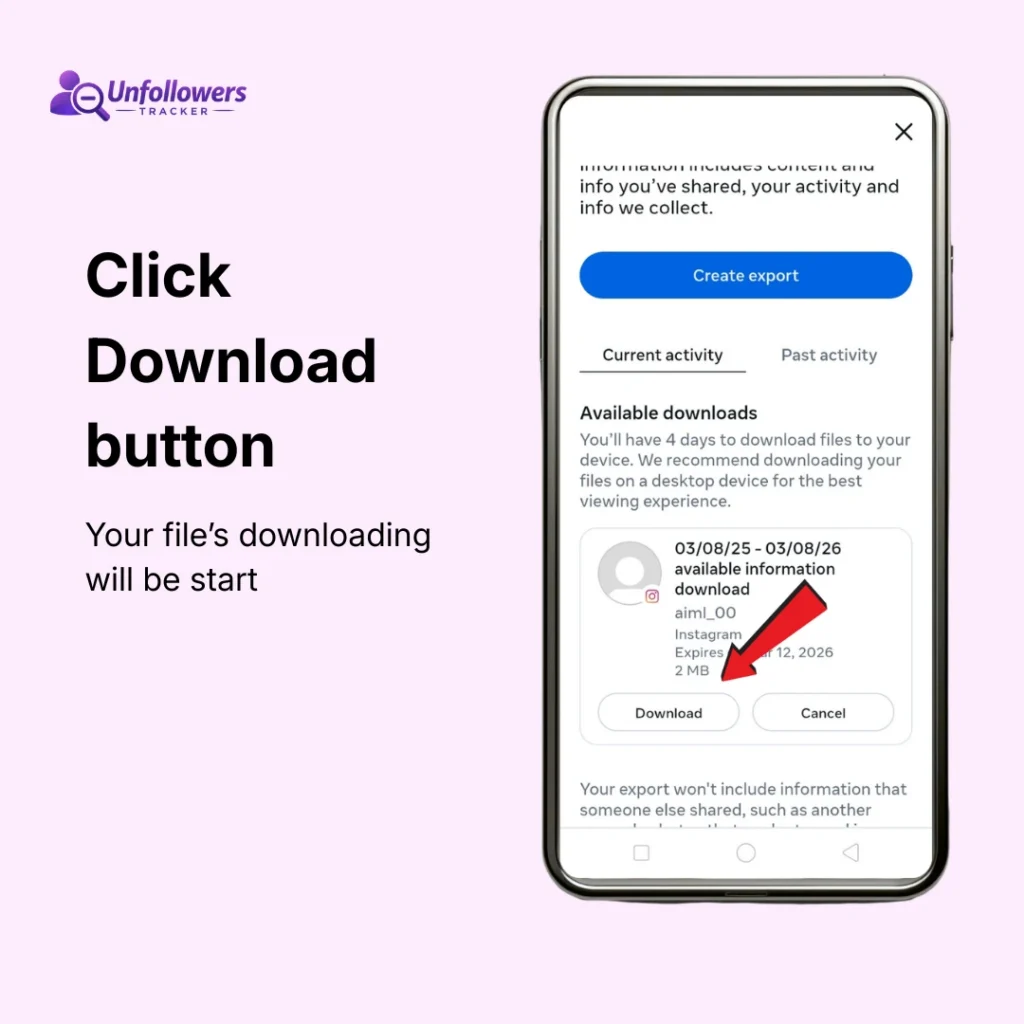
- Click Download zip
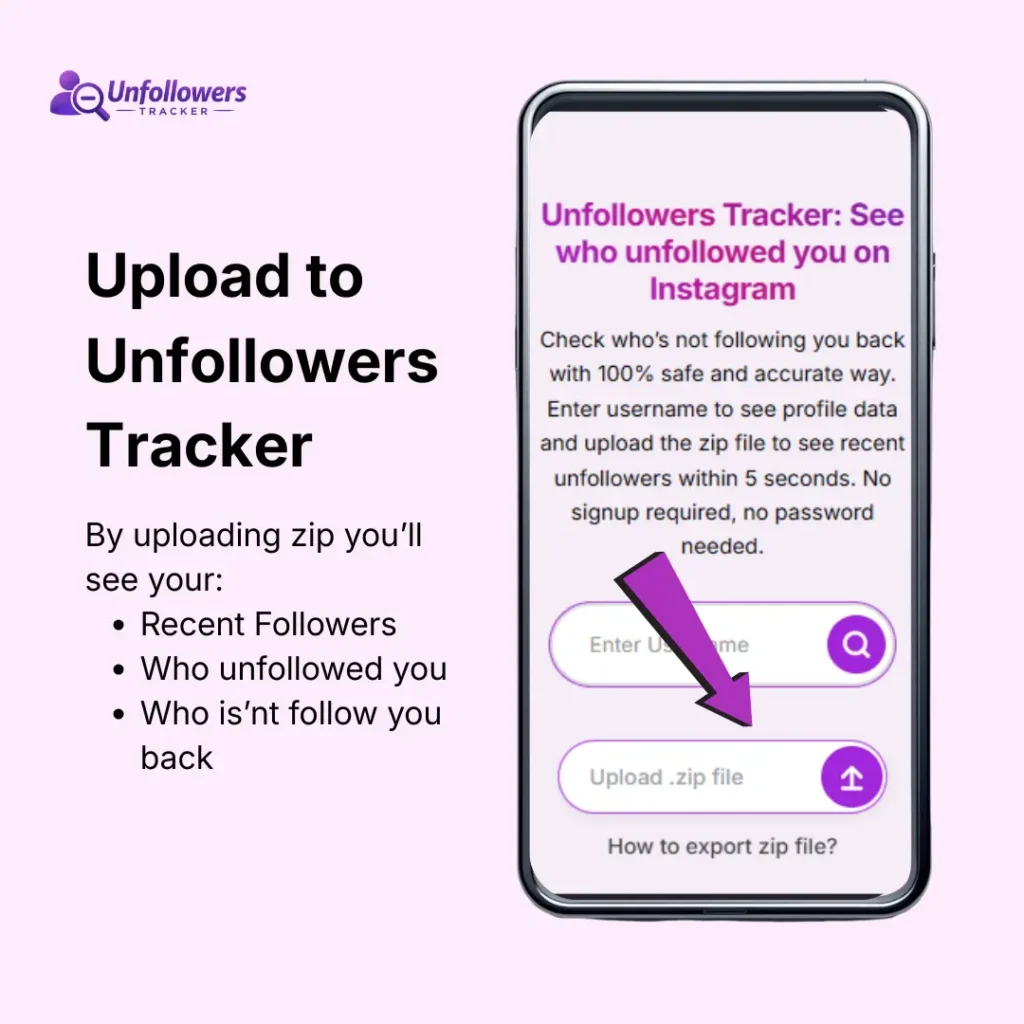
- Upload it to (unfollowers tracker)
Step-by-Step Guide to Download Instagram Follower Zip File
Step 1: Request Your Information
Select the Specific Data
Configure Your Export Settings
Start Export and Download
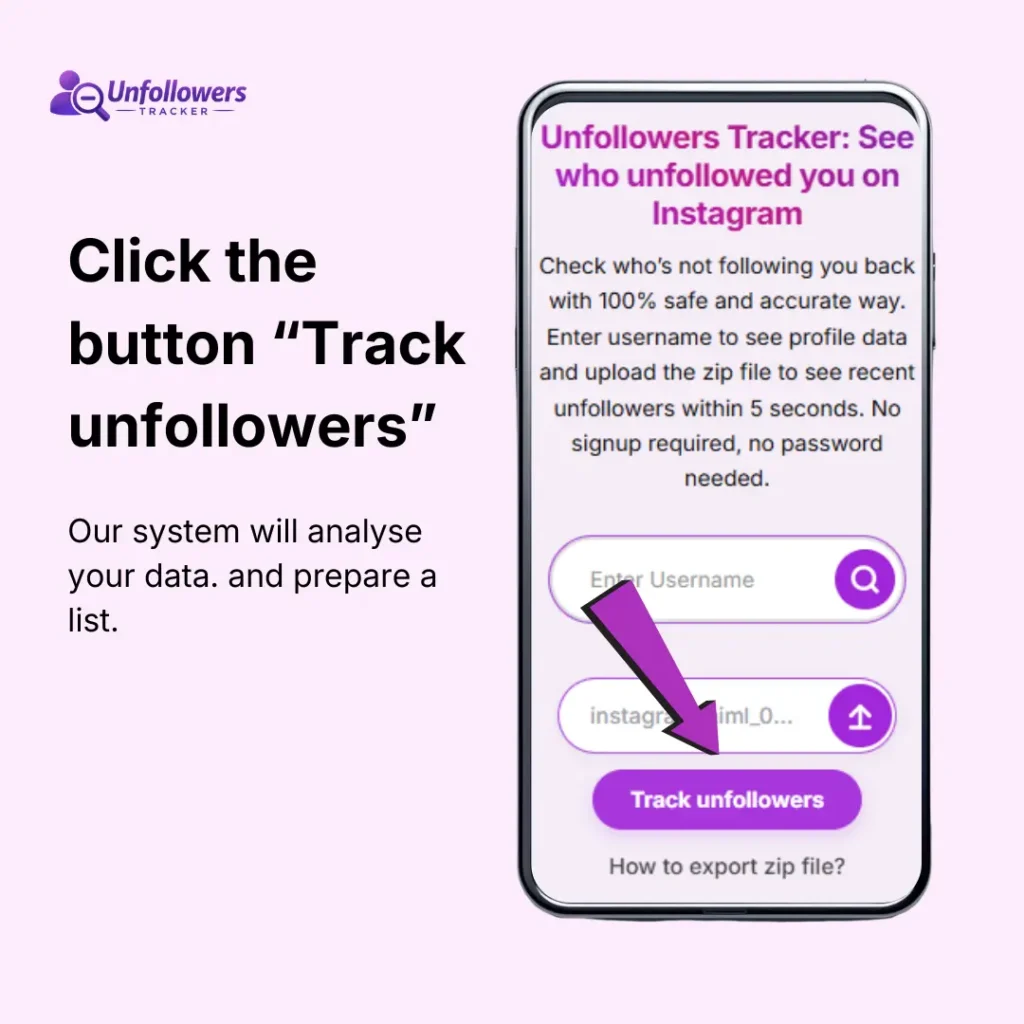
Upload zip file to Unfollowers Tracker
Common Issues While Exporting Data:
After you request to download data from Instagram, the platform sends a ZIP file that usually contains JSON files with your followers and following lists. Here are some errors that may occur while exporting the Instagram data zip file:
1: Email not received:
Meta Platforms usually sends the download link within 24 to 48 hours. If you don’t see it, check the spam or promotions folder. Also confirm that the email address linked to your account is correct.
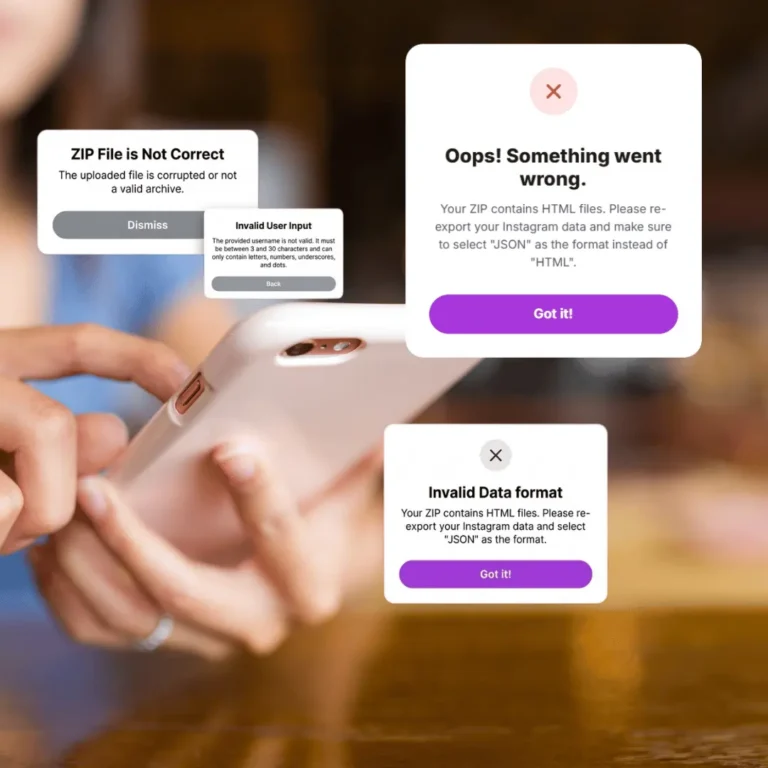
2: Data Downloaded in HTML:
By default, Instagram sets HTML format instead of JSON. Downloaded data in HTML format is not acceptable to upload to unfollowers.
3: Missing Followers or Following Data:
Instagram creates a snapshot of your account at the moment the export is generated. If someone follows or unfollows you after that moment, the change will not appear in the file. In that case, request a fresh data export from Instagram.
4: File too big to download.
Do not export all data just select followers and following data to download
5: Unfollowers Tracker not working:
If a tool does not accept the file, make sure you are uploading the original zip file downloaded from Instagram. Do not rename or modify the internal JSON files.
Having another issue? Read how to solve it
Why Unfollowers Tracker is the Best Tool
- Our unfollowers tracker promises results without account login and password. We keep your data 100% safe while analysing the Zip file.
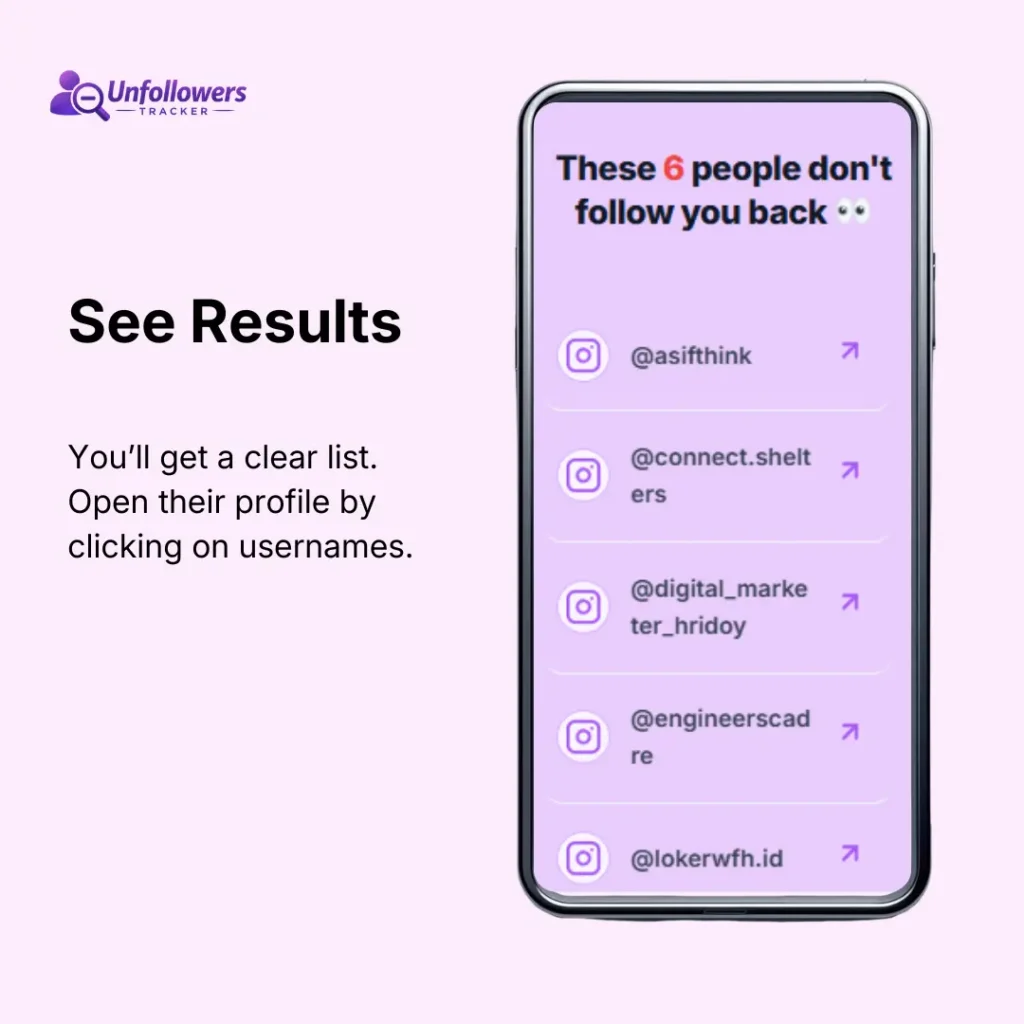
- Based on your provided data we compare your followers & following list and give you an accurate list of non followers.
- 100% safe. We required no login and password also auto delete your zip file’s data after you get results
Related Questions About Instagram ZIP File
Ready to Check Who Unfollowed You?
Upload your Instagram data and see people who unfollowed you. It’ll take a few seconds. And it’s free