Who Unfollowed Me on Instagram? 5 Ways to Find Out Unfollowers in 2026
Last Monday, my profile showed 1,250 followers but today it dropped to 1,230. The quick question in your mind would be “Who left and why?” Losing unfollowers is confusing.
Since 2010 Instagram has not provided a feature that shows exactly who stopped following you like notifications of likes, comments and followers. Users need other methods to see unfollowers.
Let’s understand 5 possible ways to track who unfollows you in 2026. Discover the safest method from these 5 ways with examples and data insights.
5 Ways to Find Out Who Unfollowed You on Instagram
Let’s understand 5 possible ways to track who unfollows you on Instagram in 2026. Some of them are manual methods while some use data analysis. Find out the best and safest one to track unfollowers.
1: Check Your Followers List Manually
The first method is to check your followers list manually. Click on the followers section and see your current follower list. You should check it out regularly to see who left today.
For example, you note your follower list on Monday. The next day, you realise followers dropped by 1, then you reopen the list to find out who left. If someone from yesterday’s list is missing, they’ve likely unfollowed you.
Limitations:
This method is good for small accounts having followers under 200. But for large accounts having thousands of followers, this method is slow and time consuming.
2: Compare Followers and Following Lists Manually
In this method you can compare your followers and followings to find out people who do not follow back. Subtract Followers from Following to estimate one-way follows (e.g., 230), then manually verify by list comparison.
For example: Your Following=650 | Followers=420
Following-Followers=230. It means around 230 people you follow don’t follow you back. After this find usernames in Following but missing from Followers, they’re your actual non-followers.
3: Track Follower Changes Over Time
Analyse your follower trends weekly or monthly. This method is good to see which posts caused follower drops and a shift in audience.
A small creator compared his follower count over two weeks. He had 1,150 followers in the first week and 1,120 in the second. By comparing lists, he found out the 30 accounts that unfollowed him. This type of tracking helps to grow accounts by revealing post performance, audience shifts, and strategy effects.
4: Manually Check Your Instagram Data (ZIP File)
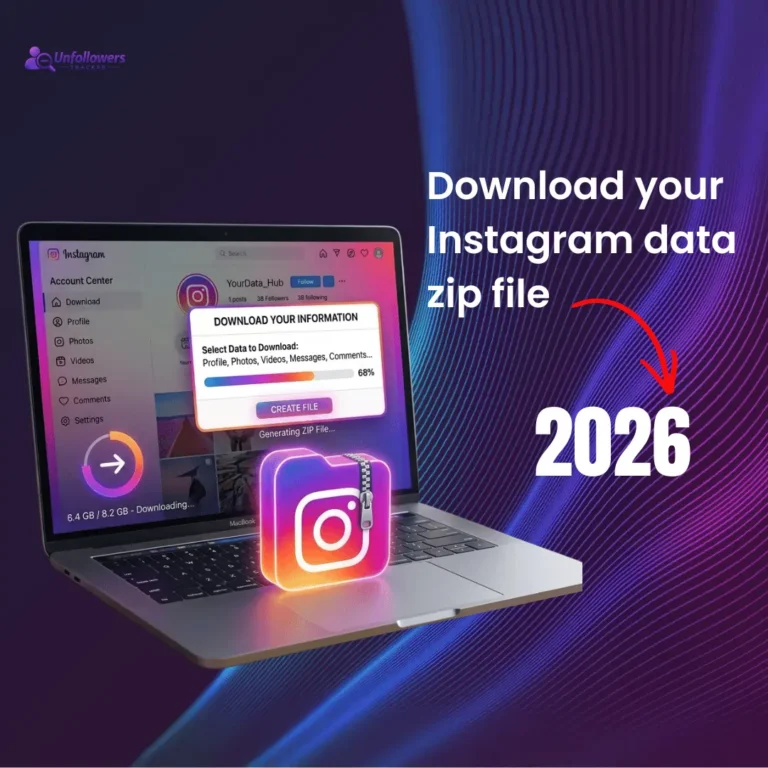
The third method is to download a zip file of your Instagram profile’s data. After downloading, unzip the file → open followers list → open following list → compare the data manually. This method is technical and slow but safe.
5: Use an Instagram Unfollowers Tracker Tool
In this method we use a third-party tool to track unfollowers. Instead of checking each follower and following list manually you can:
- Step 1: Download data zip file from Instagram
- Step 2: Upload it to a safe third party tool
- Step 3: Get a list of your non followers with their usernames.
These tools rely on data comparison rather than direct account login, which is considered the safest method.
Safest and Fastest Method to Track Unfollowers
Many third-party apps ask for Instagram account login and password. This can be risky because it involves sharing credentials with external platforms. Using official data exported from Instagram and uploading it to an unfollowers tracker is safe. It can compare your data and give you a clean list of unfollowers.
How Our Unfollowers Tracker Helps
Our tool is specially designed to track unfollowers without a login and password. You can simply download your zip file, upload it and see people who unfollow you. This process saves time because checking thousands of followers manually is impossible.
By comparing data in a zip file, you can see:
- Accounts that do not follow you back
- People who recently unfollowed you
- Inactive followers that may reduce engagement signals
My Personal Experience of Tracking Unfollowers
I was anxious to know why my follower count dropped day by day even if I posted regularly. To solve this problem I made an unfollowers tracker. Every week I download my account data, upload it to the tool, and compare my followers and following lists. After getting a list of people who do not follow me back, I remove these inactive followers directly from my Instagram profile.
The results were surprisingly helpful. Within a few weeks, I noticed a difference. My likes, comments, and shares increased, and overall engagement improved by around 40%. According to Adam Mosseri (Head of Instagram), signals like watch time, likes, and shares strongly influence how content is ranked and distributed.
Ready to Check Who Unfollowed You?
Upload your Instagram data and see people who unfollowed you. It’ll take a few seconds. And it’s free